
关于Angular Component changeDetection策略设置成OnPush的一个单元测试局限性
局限性:如果Component的changeDetection的值為ChangeDetectionStrategy.OnPush而不是Default,那么fixture.detectChanges()只有在一個test spec里第一次調用才會生效。
這是Angular一個已知的bug:https://github.com/angular/angular/issues/12313
解決方案:
beforeEach(() => {TestBed.configureTestingModule({imports: [OutletModule],declarations: [TableComponent],providers: [{ provide: TableRendererService, useClass: MockTableRendererService },],}).overrideComponent(TableComponent, {set: { changeDetection: ChangeDetectionStrategy.Default },}).compileComponents();fixture = TestBed.createComponent(TableComponent);tableComponent = fixture.componentInstance;tableRendererService = TestBed.inject(TableRendererService);fixture.detectChanges();});ChangeDetectionStrategy.OnPush實際是一個枚舉值,在Angular官網里有介紹:
enum ChangeDetectionStrategy {OnPush: 0Default: 1 }區別
- OnPush: 0
Use the CheckOnce strategy, meaning that automatic change detection is deactivated until reactivated by setting the strategy to Default (CheckAlways). Change detection can still be explicitly invoked. This strategy applies to all child directives and cannot be overridden.
注意:仍然可以顯式觸發。
- Default: 1
Use the default CheckAlways strategy, in which change detection is automatic until explicitly deactivated.
我們甚至可以更改某個Component的change detection頻率。
Detach change detector to limit how often check occurs
The following example defines a component with a large list of read-only data that is expected to change constantly, many times per second. To improve performance, we want to check and update the list less often than the changes actually occur. To do that, we detach the component’s change detector and perform an explicit local check every five seconds.
Angular應用 changeDetection模式的設置框架代碼
根據關鍵字ChangeDetectionStrategy搜索即可。
const createInject = makeMetadataFactory('Inject', (token) => ({ token })); const createInjectionToken = makeMetadataFactory('InjectionToken', (desc) => ({ _desc: desc, ?prov: undefined })); const createAttribute = makeMetadataFactory('Attribute', (attributeName) => ({ attributeName })); const createContentChildren = makeMetadataFactory('ContentChildren', (selector, data = {}) => (Object.assign({ selector, first: false, isViewQuery: false, descendants: false }, data))); const createContentChild = makeMetadataFactory('ContentChild', (selector, data = {}) => (Object.assign({ selector, first: true, isViewQuery: false, descendants: true }, data))); const createViewChildren = makeMetadataFactory('ViewChildren', (selector, data = {}) => (Object.assign({ selector, first: false, isViewQuery: true, descendants: true }, data))); const createViewChild = makeMetadataFactory('ViewChild', (selector, data) => (Object.assign({ selector, first: true, isViewQuery: true, descendants: true }, data))); const createDirective = makeMetadataFactory('Directive', (dir = {}) => dir); var ViewEncapsulation; (function (ViewEncapsulation) {ViewEncapsulation[ViewEncapsulation["Emulated"] = 0] = "Emulated";ViewEncapsulation[ViewEncapsulation["Native"] = 1] = "Native";ViewEncapsulation[ViewEncapsulation["None"] = 2] = "None";ViewEncapsulation[ViewEncapsulation["ShadowDom"] = 3] = "ShadowDom"; })(ViewEncapsulation || (ViewEncapsulation = {})); var ChangeDetectionStrategy; (function (ChangeDetectionStrategy) {ChangeDetectionStrategy[ChangeDetectionStrategy["OnPush"] = 0] = "OnPush";ChangeDetectionStrategy[ChangeDetectionStrategy["Default"] = 1] = "Default"; })(ChangeDetectionStrategy || (ChangeDetectionStrategy = {})); const createComponent = makeMetadataFactory('Component', (c = {}) => (Object.assign({ changeDetection: ChangeDetectionStrategy.Default }, c))); const createPipe = makeMetadataFactory('Pipe', (p) => (Object.assign({ pure: true }, p))); const createInput = makeMetadataFactory('Input', (bindingPropertyName) => ({ bindingPropertyName })); const createOutput = makeMetadataFactory('Output', (bindingPropertyName) => ({ bindingPropertyName })); const createHostBinding = makeMetadataFactory('HostBinding', (hostPropertyName) => ({ hostPropertyName })); const createHostListener = makeMetadataFactory('HostListener', (eventName, args) => ({ eventName, args })); const createNgModule = makeMetadataFactory('NgModule', (ngModule) => ngModule); const createInjectable = makeMetadataFactory('Injectable', (injectable = {}) => injectable);//告訴Angular,你正在使用自定義元素 const CUSTOM_ELEMENTS_SCHEMA = {name: 'custom-elements' }; ```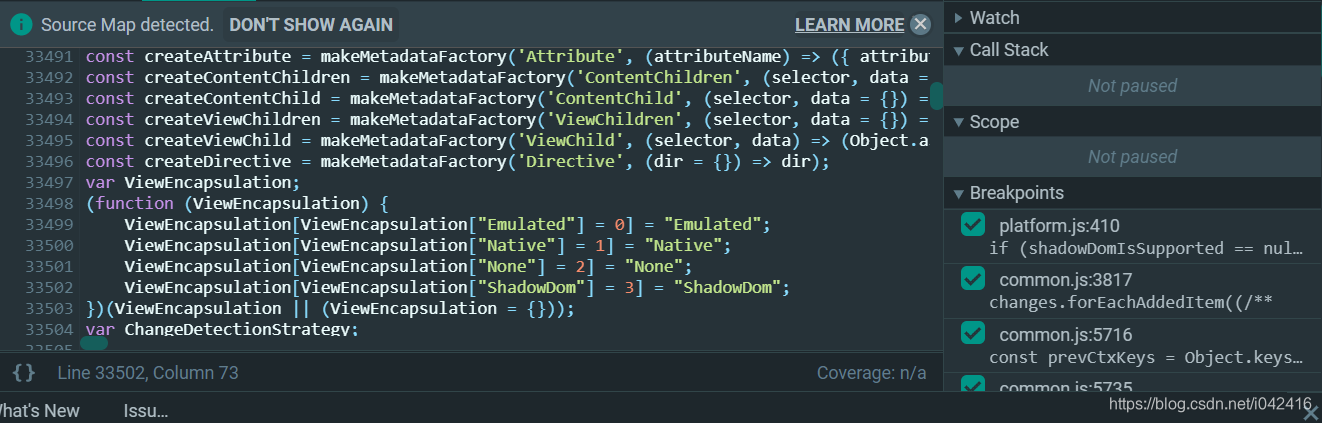總結
以上是生活随笔為你收集整理的关于Angular Component changeDetection策略设置成OnPush的一个单元测试局限性的全部內容,希望文章能夠幫你解決所遇到的問題。

- 上一篇: 手把手教你把苹果手机微信聊天内容存为长图
- 下一篇: SAP托管在Github上的ABAP编程